
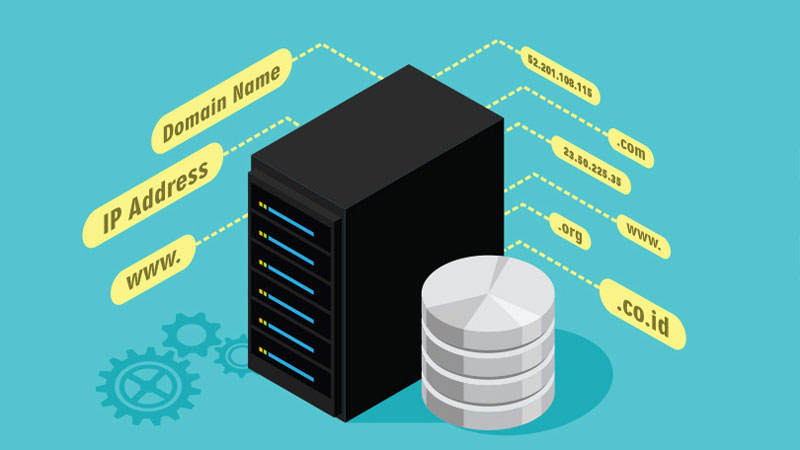
We type a name into a browser and a website appears a moment later. That simple act feels ordinary now, but under the hood it depends on one of the most essential systems on the internet: DNS. Without it, we would have to remember strings of numbers instead of names like example.com, news.ycombinator.com, or maps.google.com. That might work for a few sites, but it would quickly become a mess once we had to manage hundreds or thousands of them.
DNS quietly handles that translation for us. It turns human-friendly domain names into machine-friendly IP addresses, and it does so fast enough that most of us never notice it. That invisibility is part of its brilliance. DNS sits in the background, but nearly every online action depends on it, from loading a webpage to sending email or connecting to a streaming service.
DNS definition
DNS stands for Domain Name System. At its simplest, DNS is a naming system for the internet. It maps domain names to IP addresses and other records that computers need in order to find each other.
An IP address is the numerical label assigned to a device or server on a network. It might look like 93.184.216.34 for IPv4 or something like 2606:2800:220:1:248:1893:25c8:1946 for IPv6. Those addresses are great for machines, but they are awkward for people. DNS gives us a layer of meaning on top of those numbers.
Think of DNS as the internet’s address book, but one that is distributed across many servers rather than stored in one place. When we type a domain name into a browser, DNS helps figure out where that site lives and how to reach it.
That simple definition hides a lot of moving parts, though. DNS is not just one database. It is a system of servers, caches, records, and rules working together.
Why DNS matters
DNS matters because the internet would be much harder to use without it. Human memory is better at names than numbers, especially when those numbers change. A service may move to a different server, expand to multiple locations, or add backup systems. If people had to keep track of every change, the web would be far less practical.
DNS solves that problem by separating the name we use from the location a service actually uses. That separation gives companies flexibility, and it gives us convenience.
A few everyday examples make the point clear:
- We remember
bankname.com, not its server’s IP address. - Email delivery depends on DNS records that tell other mail servers where to send messages.
- If a popular site has servers in different regions, DNS can help direct us to the closest or healthiest one.
- If a site changes hosting providers, DNS can point the domain to the new location without changing the name users type.
That last point matters a lot in practice. A website can move behind the scenes without forcing visitors to learn a new address. DNS makes the internet feel stable, even though the infrastructure behind it changes constantly.
How DNS works, step by step
When we enter a web address in a browser, DNS resolution begins. The process usually happens so quickly that we do not notice it, but several systems may get involved before the answer comes back.
Here is the basic flow.
1. We enter a domain name
Suppose we type www.example.com into a browser. The browser needs to know the IP address for that domain before it can connect to the site.
2. The browser checks its cache
Before asking anyone else, the browser looks in its own cache. If it recently resolved that domain and the cached answer has not expired, it can reuse the result immediately.
This is one reason repeated visits to a site often feel faster. DNS does not have to start from scratch every time.
3. The operating system checks its cache
If the browser does not have the answer, the request moves to the operating system. The OS may already have a recent DNS result stored locally. If so, it can return the answer without contacting the network.
4. The query goes to a recursive resolver
If the answer is not cached locally, the system sends the request to a recursive DNS resolver. This is usually provided by an internet service provider, a company network, or a public DNS service such as Google Public DNS, Cloudflare, or OpenDNS.
The recursive resolver does the work of finding the correct answer on our behalf. It does not usually know the answer right away, so it begins asking other DNS servers.
5. The resolver asks the root servers
The resolver starts at the top of the DNS hierarchy with a root server. Root servers do not know the final IP address for every domain, but they do know which servers handle each top-level domain, such as .com, .org, or .net.
So if we asked about www.example.com, the root server points the resolver to the .com TLD servers.
6. The resolver asks the TLD servers
Next, the resolver contacts the top-level domain server for .com. That server does not usually know the IP address of www.example.com either, but it knows which authoritative name servers are responsible for example.com.
7. The resolver asks the authoritative name server
Now the resolver contacts the authoritative DNS server for example.com. This server holds the actual DNS records for that domain. It returns the IP address associated with www.example.com.
8. The answer gets returned and cached
The resolver sends the IP address back to our device, and the browser uses it to connect to the web server. At the same time, the resolver and sometimes our local machine cache the answer for a period of time known as the TTL, or time to live.
That caching matters because it reduces repeat work. If thousands of people request the same site, DNS would be far less efficient if every query had to begin with the root servers.
The DNS hierarchy
DNS works as a distributed hierarchy rather than a flat list. That structure keeps the system manageable across billions of names.
At a high level, the hierarchy looks like this:
- Root level
The starting point of DNS resolution. - Top-level domains
Examples include.com,.org,.edu,.uk, and many others. - Second-level domains
These are the names registered directly under a TLD, such asexampleinexample.com. - Subdomains
These sit beneath the main domain, such aswww.example.comormail.example.com.
This structure gives us flexibility. A company can use different subdomains for different services, such as one host for the main website, another for email, and another for internal tools.
Common DNS record types
DNS does more than map names to IP addresses. Different record types tell the internet different things about a domain.
Some of the most common record types include:
- A record
Maps a domain name to an IPv4 address. - AAAA record
Maps a domain name to an IPv6 address. - CNAME record
Creates an alias from one name to another. For example,www.example.commay point toexample.com. - MX record
Tells mail servers where to deliver email for a domain. - NS record
Identifies the authoritative name servers for a domain. - TXT record
Stores text information, often used for verification, email security, and domain ownership checks. - SOA record
Contains administrative information about the zone, including the primary authoritative server and timing settings.
These records work together to support many different internet tasks. A website may rely on A or AAAA records, email depends heavily on MX records, and security systems often use TXT records to verify that a sender is allowed to use a domain.
Recursive resolvers and why they matter
The recursive resolver plays a central role in DNS. It acts like a skilled assistant that does the legwork of finding the answer. We usually trust it to search through the DNS hierarchy, cache results, and return the correct response.
There are a few reasons resolvers matter so much:
- They save time
Cached answers can be returned quickly. - They reduce traffic to the authoritative servers
A popular site can receive millions of visits, but not every visit needs to trigger a full DNS lookup. - They improve reliability
If one path is slow, a resolver can often try other servers or use cached data. - They influence privacy and performance
The resolver we use can affect how quickly domains resolve and who can see our DNS traffic.
Many people never think about which resolver they use, but it can make a noticeable difference. Some public resolvers are optimized for speed and security, while a local ISP resolver may be closer geographically. The trade-offs are not always obvious.
What happens when DNS fails
DNS is usually reliable, but when it breaks, the internet feels strangely broken. A site might still be online, yet it appears unreachable because the name lookup failed.
Common DNS problems include:
- expired or misconfigured records
- a domain pointing to the wrong IP address
- a failed authoritative server
- resolver issues at the ISP or network level
- propagation delays after DNS changes
- incorrect TTL settings
- DNS cache corruption on a local machine
Sometimes a website owner changes DNS records and expects the new destination to appear everywhere at once. That rarely happens. Cached data around the world may keep the old value until TTLs expire, so some users see the old site while others see the new one. That can be confusing, especially during migrations.
A failed DNS lookup can produce messages like “server not found,” “DNS_PROBE_FINISHED_NXDOMAIN,” or a simple browser timeout. The wording varies, but the basic issue is often the same, the browser cannot find the address it needs.
DNS and email
Email depends on DNS in ways many people never notice. When we send a message, our mail server uses MX records to find the destination mail server for the recipient’s domain.
That means name@company.com is not just a label. DNS helps determine where mail for company.com should go. Without MX records, mail systems would not know where to deliver messages.
DNS also supports email authentication. TXT records are often used for:
- SPF to list which servers may send mail for a domain
- DKIM to publish public keys used to verify email signatures
- DMARC to define how receiving servers should handle suspicious mail
These records do not prevent all spam or fraud, but they help receiving systems judge whether a message is legitimate.
DNS and security
DNS was designed long before modern security concerns shaped the internet. For that reason, the original protocol did not include much built-in protection. That has made DNS a target for abuse.
Some common DNS-related threats include:
- cache poisoning, where an attacker inserts false DNS data into a resolver cache
- DNS spoofing, where fake responses try to mislead users
- DNS hijacking, where attackers or compromised networks redirect users to malicious destinations
- DNS amplification attacks, a type of DDoS attack that uses DNS servers to overwhelm a target
To improve security, many systems now use DNSSEC, which adds cryptographic validation to DNS responses. DNSSEC helps confirm that the answer came from the correct source and was not altered in transit.
Even so, DNSSEC does not encrypt the query itself. For privacy and encryption, newer approaches such as DNS over HTTPS (DoH) and DNS over TLS (DoT) can help protect DNS traffic from eavesdropping.
DNS caching and TTL
Caching is one of the reasons DNS performs well at internet scale. Once a resolver or device learns an answer, it can store that answer for a certain amount of time. The TTL tells caches how long they may keep it.
A short TTL gives more flexibility. If a site needs to move quickly, shorter cache times allow DNS updates to spread faster. A longer TTL reduces query traffic and can improve efficiency, but changes take longer to propagate.
This balance matters in real life. A site preparing for maintenance might lower its TTL ahead of time so changes spread quickly. A stable site with little need for frequent updates may prefer a longer TTL to reduce unnecessary lookups.
Caching helps a lot, but it also explains why DNS changes sometimes feel delayed. The internet is not ignoring the update. It is still trusting the previous answer until the cache expires.
DNS in everyday use
Most of us interact with DNS constantly without realizing it. It is involved when we:
- visit a website
- open a mobile app that contacts a server
- send or receive email
- connect to cloud services
- stream media
- log in to online accounts
Even device-to-device communication often depends on DNS behind the scenes. If a service uses a hostname rather than a fixed IP address, DNS usually handles the lookup.
That flexibility is one of DNS’s greatest strengths. It lets services move, scale, and change infrastructure without forcing users to follow along manually.
A closer look at what makes DNS resilient
DNS survives because it is distributed. No single server holds the entire internet’s naming map. Instead, responsibility gets split across many systems. Root servers, TLD servers, authoritative servers, and recursive resolvers each handle a specific part of the job.
That distribution offers several advantages:
- It avoids a single point of failure.
- It allows domains to be managed independently.
- It supports enormous traffic volumes.
- It makes updates possible without rebuilding the entire system.
The design is not flashy, but it is elegant. DNS has stayed relevant for decades because it solves a fundamental problem in a practical way. The internet needs names, people need simplicity, and machines need exact routes. DNS sits between those needs and makes the whole arrangement workable.
Closing thoughts
DNS is one of those systems that works best when we barely notice it. It translates names into addresses, keeps traffic moving, supports email, and helps services change behind the scenes without breaking the experience for users. That may sound modest, but the internet would feel very different without it.
Once we understand DNS, everyday web behavior starts to make more sense. A site loading slowly might be dealing with resolver delays. A moved website might not appear everywhere at once because old DNS data still lives in caches. An email problem may have nothing to do with the mailbox and everything to do with MX or TXT records. DNS is not just plumbing. It is a core part of how the internet organizes itself, and it quietly touches far more of our online life than most of us realize.